Does this work with other graders?
Cardberry supports PSA and TAG Pokemon certificates. Raw cards and other graders are outside the current import workflow.
For sellers of PSA graded Pokemon cards
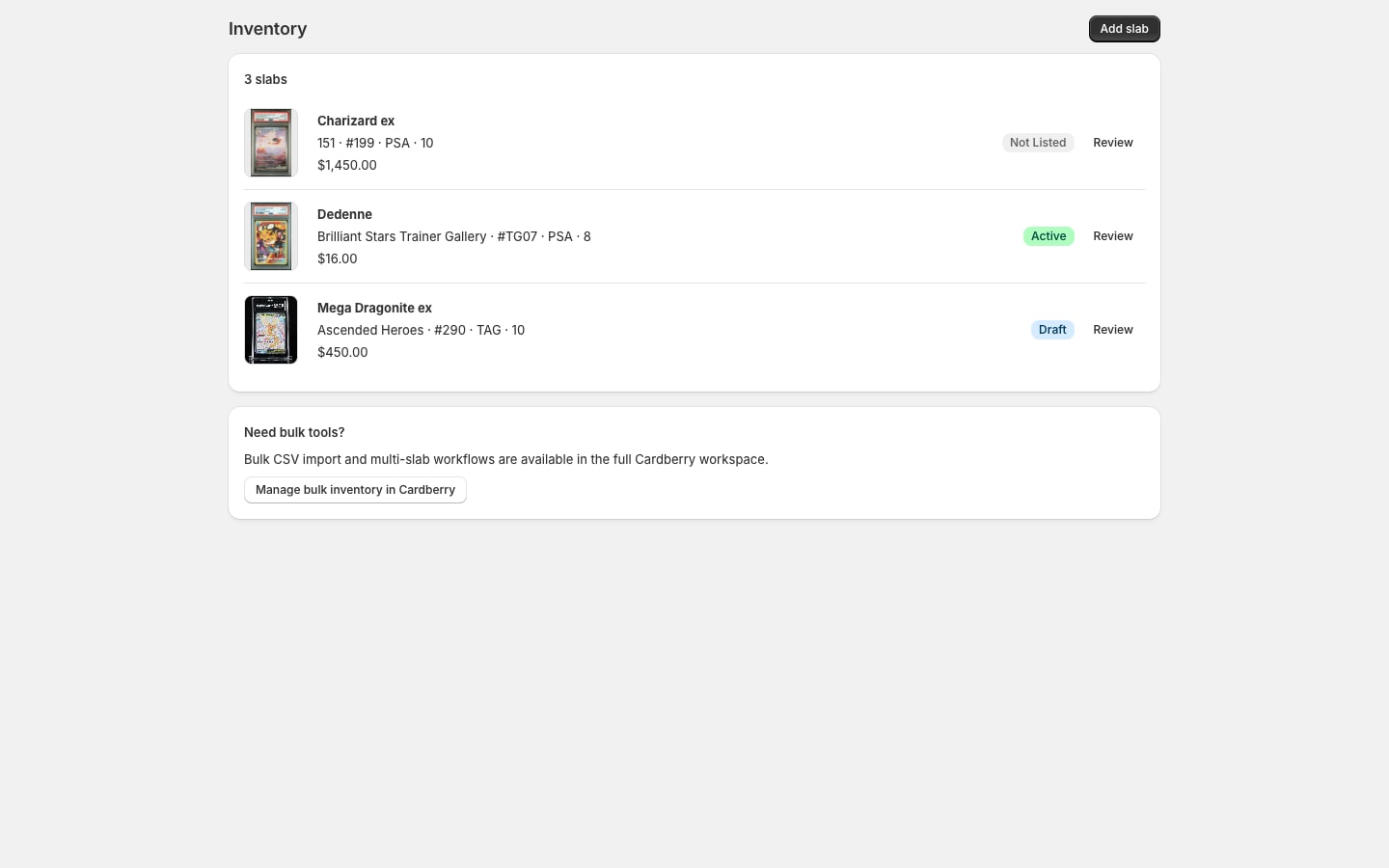
Start with the number on the slab. Cardberry brings available certificate details and photos into inventory, looks for the exact Pokemon card, and prepares product changes for your approval.
01 / Import the evidence
Install Cardberry, open it in Shopify Admin, and add a PSA certificate number. Check the number against the label on the slab you intend to sell. Cardberry retrieves the available grading evidence and slab images, then looks for the corresponding Pokemon card.
The record keeps the certificate, grade and available photos together. A missing image or uncertain card match needs your attention; importing a certificate is not a guarantee that every listing detail is ready.
Keep the individual slab identifiable even when you own several copies of the same card. The seller guide’s certificate checklist explains what to compare.

02 / Check the card and price
Compare the card name, set, number, language and variant with the slab label and photos. Confirm the grader and grade. Only an accepted card match drives artwork, exact-grade pricing and Shopify sync. If the match needs correction, open the full Cardberry workspace to review it.
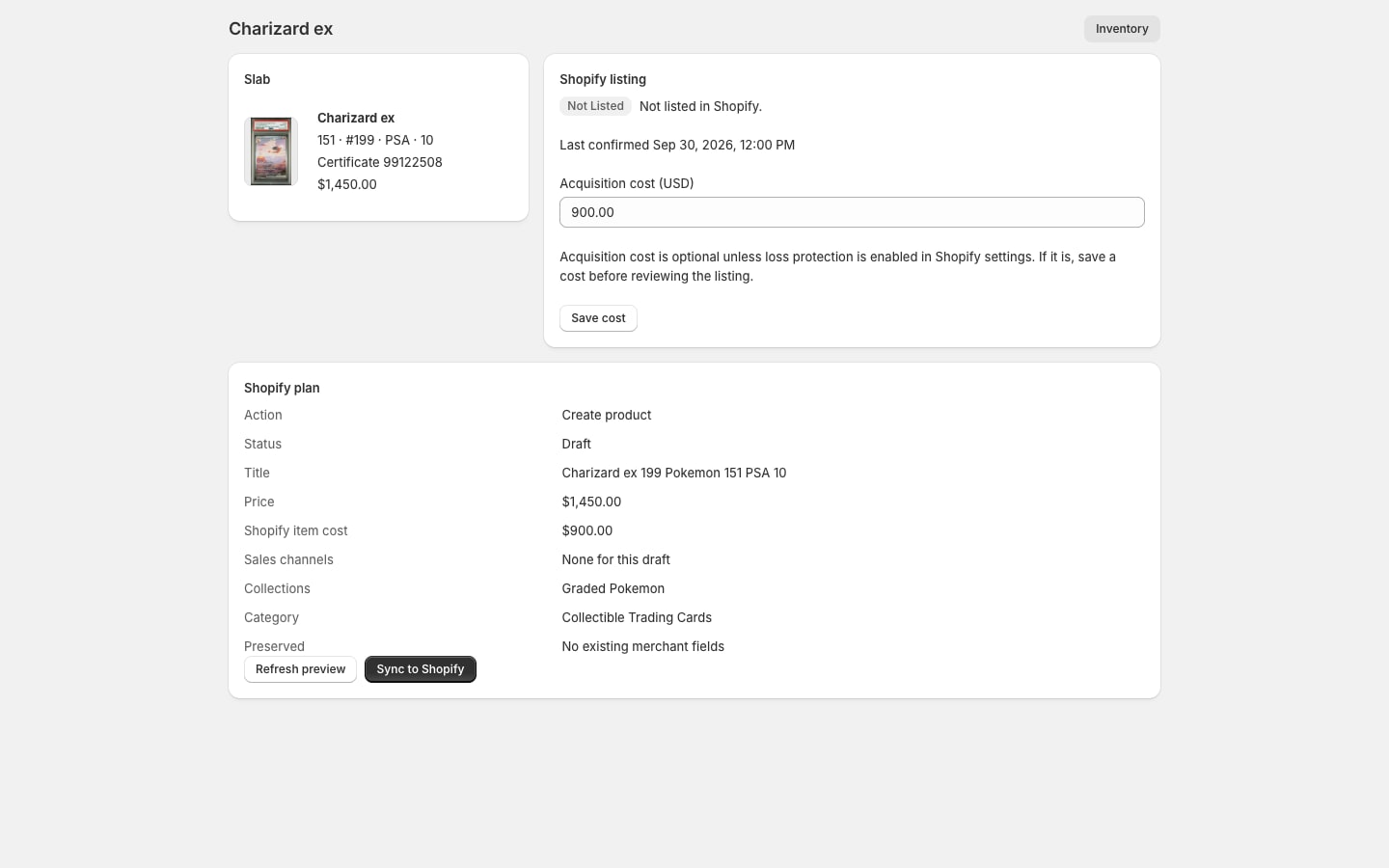
Review any available market estimate for that card, grader and grade. An estimate is a reference, not a promised sale price. Check its date and your acquisition cost, then decide the listing price. If no estimate is available, save a USD listing price before preparing the product.
Use photos of the individual slab. Available grader images can help; inspect them for the correct certificate and coverage. The guide covers front, back and case details buyers need to see.
03 / Review the Shopify changes
Choose your store settings, including inventory location, category, collections and publications. Request a listing preview and check the title, description, photos, price and inventory. New products default to draft.
If Cardberry finds possible duplicates, review them before creating or linking a product. The same card name is not enough to identify the same slab. Compare the certificate and the exact card, grader and grade.
Approve the preview to sync. Check the resulting draft in Shopify before publishing. Later syncs preserve merchant-managed content and publication choices; scheduled observation and pricing do not publish products for you.

Before you begin
Cardberry supports PSA and TAG Pokemon certificates. Raw cards and other graders are outside the current import workflow.
Use an account allowed to install the app. Listing sync requires a USD store, and each Cardberry organization connects to one Shopify shop. Review current availability and pricing on the official App Store listing.
App Home handles one-slab intake and listing review. Open full Cardberry for bulk inventory tools and manual catalog correction. See how the complete workflow fits together.
With your permission, Google Analytics measures visits to this site and clicks to the Shopify App Store. It uses cookies. We do not send card, customer or account details.
How we use cookies · Privacy policy